FRIDAY COWORK

Invent your future with Friday CoWork’space

Friday CoWork brings search, research, creation, lead generation, documents, media, and more into one visual workspace — so your work stays connected from the first idea to the final output.
  • Work across multiple tasks
  • Keep every result on one canvas
  • Continue without losing context
THE FRIDAY COWORK WORKSPACE
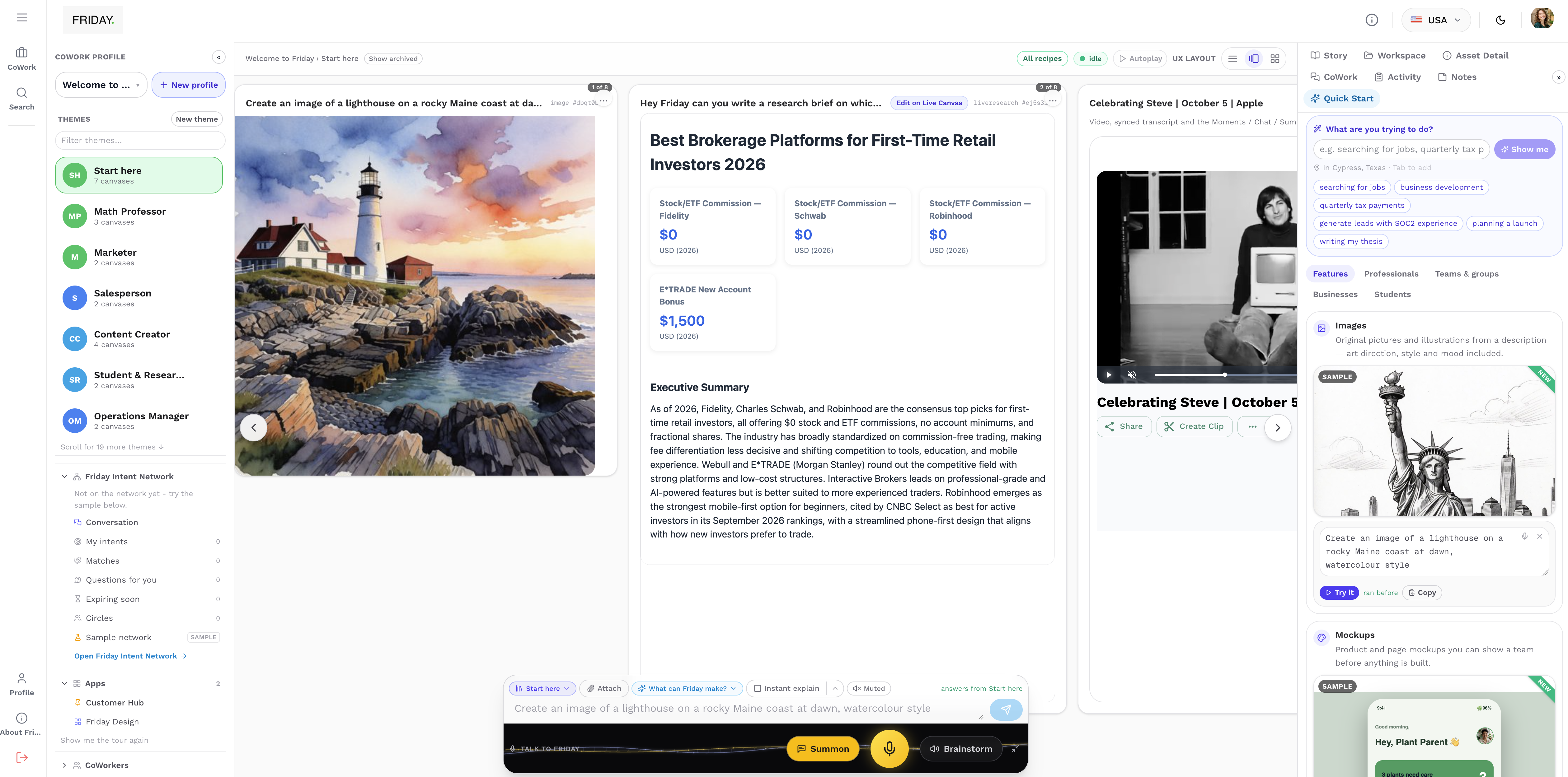
Friday CoWork interface with project organization, multiple outputs on the canvas, context panels, and the Friday bar.
01
Multiple tasks
02
One canvas
03
Quick Start
SEARCH · CREATE · RESEARCH · ORGANIZEDifferent kinds of work. One connected canvas.
INSIDE FRIDAY COWORK

One workspace.
Everything has its place.

CoWork keeps the project structure, working canvas, context, and Friday controls visible around the work.

REAL COWORK WORKSPACE
  1. 01 / Workspace

    Organize the workspace

    Create CoWork profiles and themes, access apps and CoWorkers, and keep connectors and Drive close to the project.

    CoWork ProfileThemesAppsCoWorkersConnectorsDrive
  2. 02 / Canvas

    Do the work visually

    The center canvas is where Web, Research, Images, documents and other outputs can stay together as your workspace grows.

    CanvasAssetsMultiple resultsVisual navigationNodes
  3. 03 / Context

    Stay close to the context

    Story, Asset Detail, CoWork, Activity, Notes and Quick Start stay available beside the work.

    StoryAsset DetailCoWorkActivityNotesQuick Start
  4. 04 / Friday

    Ask Friday from anywhere

    Use the Friday bar to continue working with context, attachments, memory, explanations, voice and brainstorming.

    Context / knowledgeAttachMemoryInstant ExplainSummonVoiceBrainstorm
A WORKSPACE WITH MANY POSSIBILITIES

What will you
work on next?

Start with the goal. Bring the right kind of work onto your canvas.Hover, focus, or tap a card to explore.

YOUR WORK HAS ROOM TO GROW

Move through your work.
Not between apps.

CoWork gives the workspace room to grow. Move across different outputs, go deeper through longer work, or change the layout when you want another perspective.

Move across related tasks and outputs placed side by side.

HORIZONTAL CANVAS VIEW
CANVAS WITHIN A CANVAS

Room to go deeper.

Open deeper work without cluttering the main workspace.

NEW WORK, CONNECTED

Let the project grow.

Add nodes as new pieces of work become part of the project.

KEEP WORK MOVING

Start another task.
The first one stays.

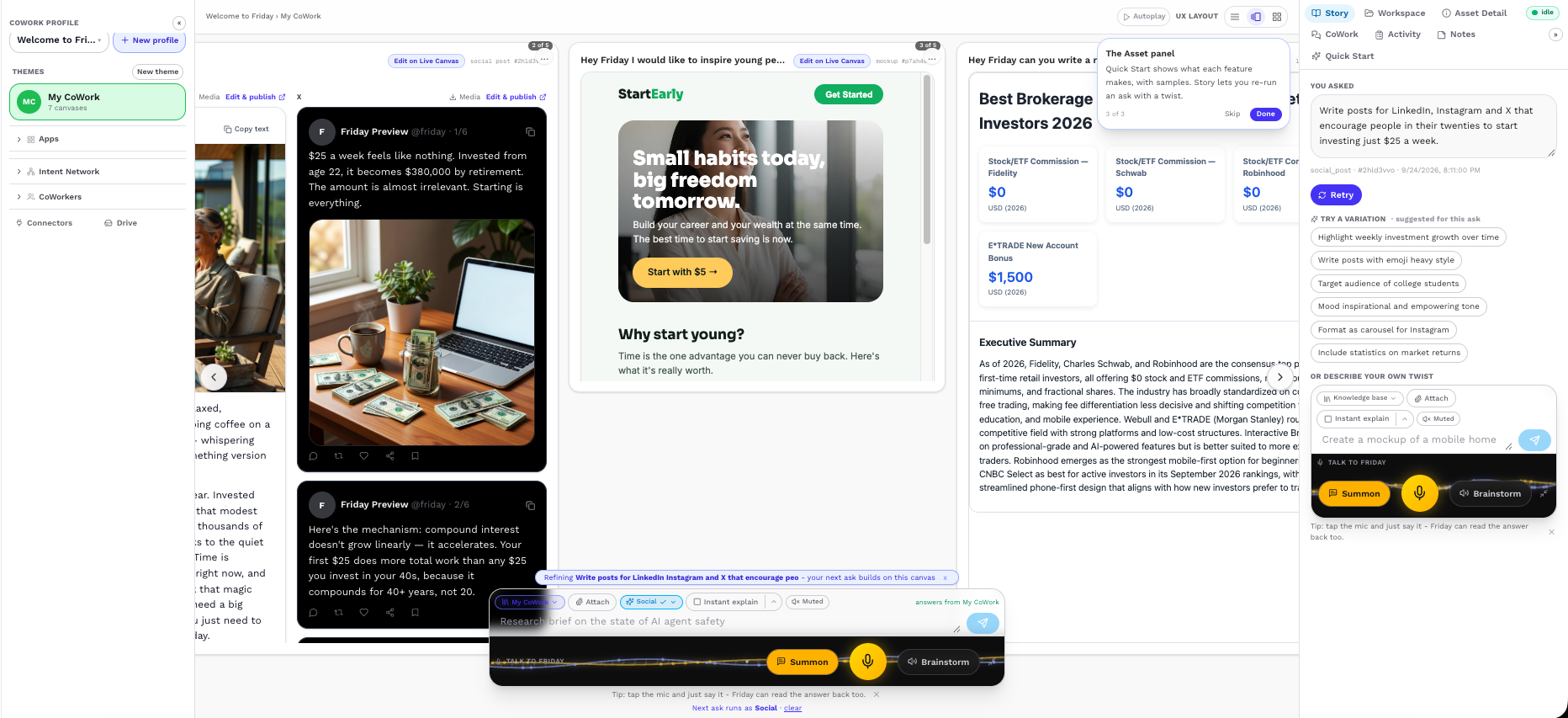
Start Web, Research, Image Generation or another task without losing the work already on your canvas.
  1. 01Start with Web
  2. 02Create something else
  3. 03Keep both results
  4. 04Continue building
MULTIPLE OUTPUTS, ONE CANVAS
Friday CoWork interface showing Web and Research outputs side by side with other results retained on the canvas.
Different kinds of work. All still here.
START WITHOUT A BLANK PAGE

Tell Friday
what you want.
Quick Start gets
you moving.

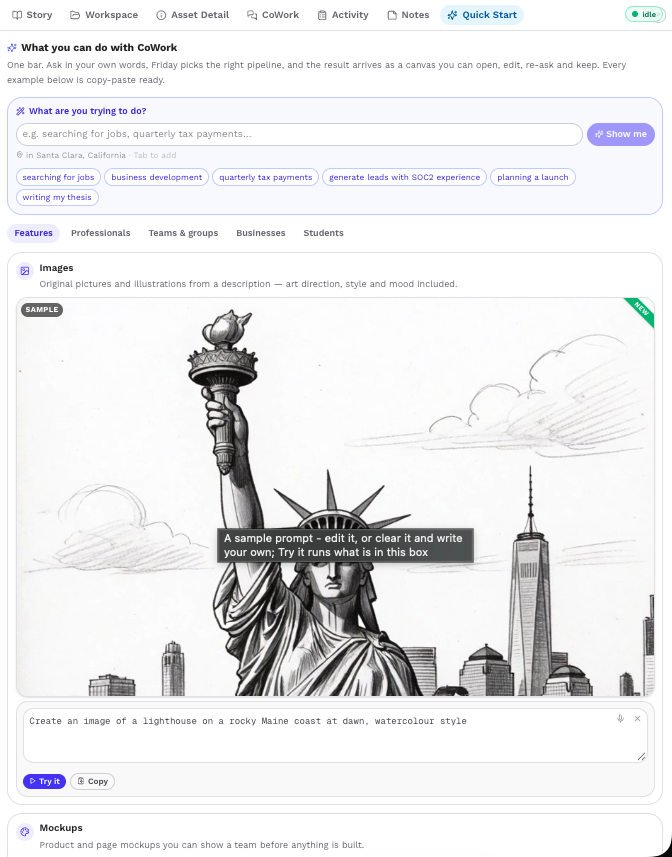
Start with your goal or choose from ready-made examples. Friday helps you move into the right workflow.
A goal is all you need
to get started.
QUICK START
Friday CoWork Quick Start panel with a goal prompt, suggested examples, and workflow categories beside the canvas.
Your next step, right beside the work.
SEE COWORK IN ACTION

Watch different kinds of work
come together on one canvas.

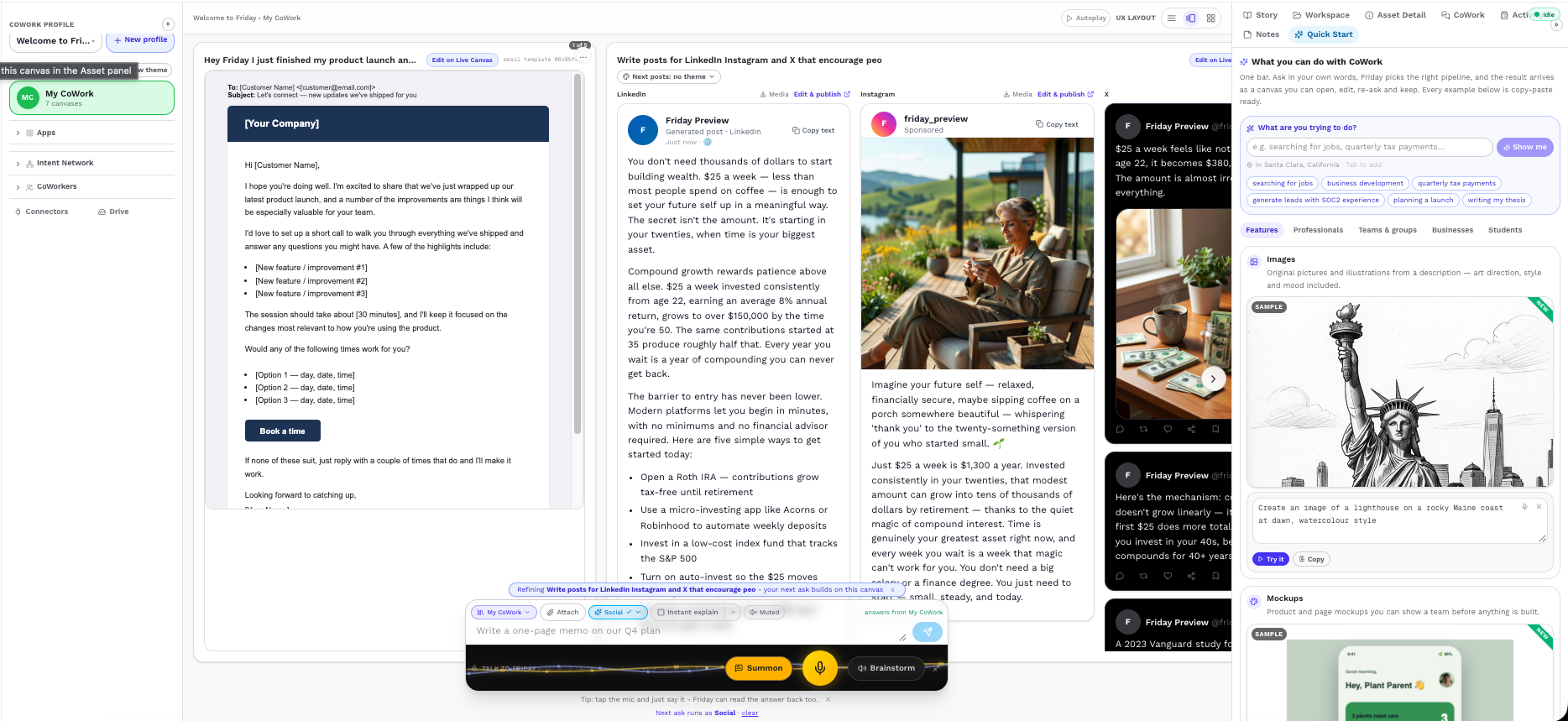
Start with Web, generate an image, add Research, and keep every result together as your workspace grows.
Web → Image → Research → Canvas
COWORK PRODUCT DEMO

Web → Image → Research → Canvas

Different workflows. A workspace that keeps growing.

CANVAS

Horizontal and vertical canvas navigation.

REAL COWORK SCREENSHOTScreenshot will be added here.

QUICK START

Start from an example and move directly into work.

Friday CoWork Quick Start product demo showing an example starting a task and producing a canvas result.

MULTITASKING

Run different tasks while results stay on your canvas.
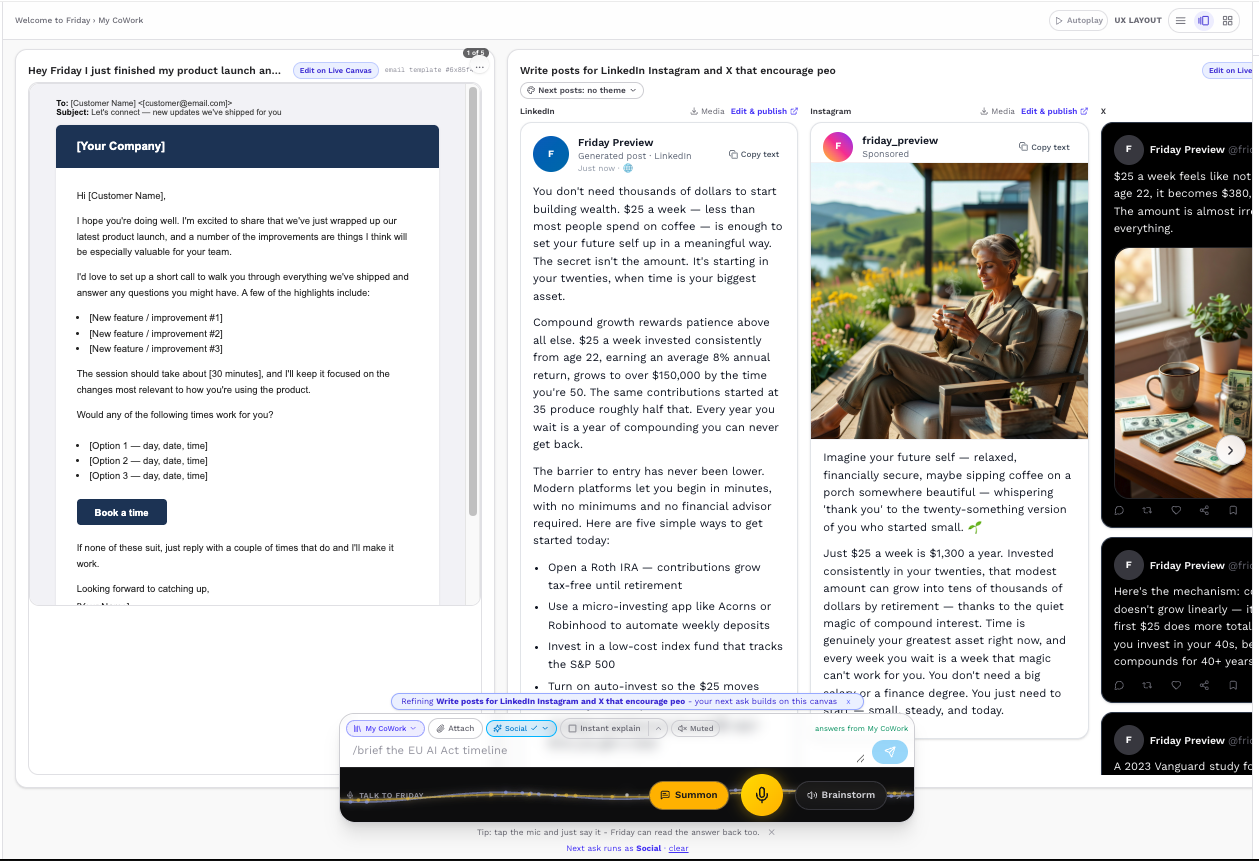
Friday CoWork product demo showing multiple tasks with previous results remaining on the canvas.
FROM REQUEST TO WORKSPACE

One request can become
an entire body of work.

“Help me bring a new idea to market.”AN EXAMPLE STARTING POINT
  1. 01Start with a goal
  2. 02Friday starts the work
  3. 03The result becomes part of your canvas
  4. 04Start something else
  5. 05Keep building from everything already there
WebResearchImageDocumentLead
COWORK FOR DIFFERENT KINDS OF WORK

Whatever the goal,
build around it.

01

Professionals

Research a market, create a brief, and prepare a presentation.

01Market research02Strategy brief03Presentation
02

Businesses

Find leads, research accounts, create campaign assets, and build outreach.

01Lead list02Account research03Outreach
03

Teams

Organize a launch into research, visuals, content, and planning.

01Research02Creative direction03Launch plan
04

Students

Research a topic, organize notes, structure a thesis, and create a presentation.

01Source notes02Thesis outline03Deck
05

Creators

Generate visuals, work with media, create posts, and organize campaign ideas.

01Visual concepts02Media03Social posts
FRIDAY BY INSPIREDONE

Start with one task.
Keep building from there.

Search, create, research, organize, and continue your work from one connected visual workspace.

Open Friday CoWork One workspace. Multiple ways to work.